01
Crews per task
Describe a task and Crewyard proposes who plans, implements, tests and reviews it, with the reason for each pick and a cost estimate. Edit the proposal in the Crew graph. Nothing starts until you approve.
Claude Code, Codex, Gemini CLI and OpenCode, supervised from one window. Crewyard proposes a crew for each task, watches limits and spend, and starts nothing until you approve.
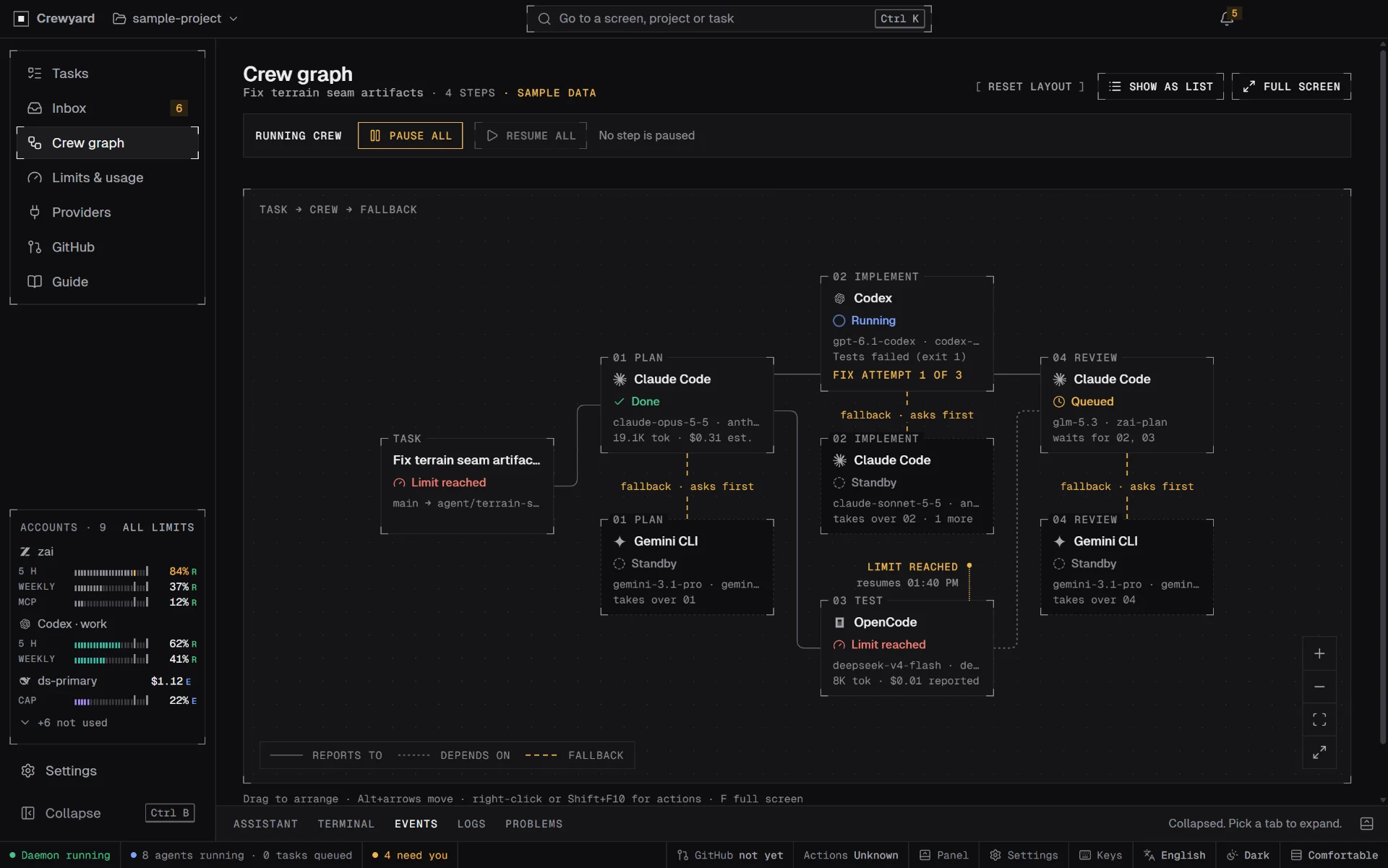
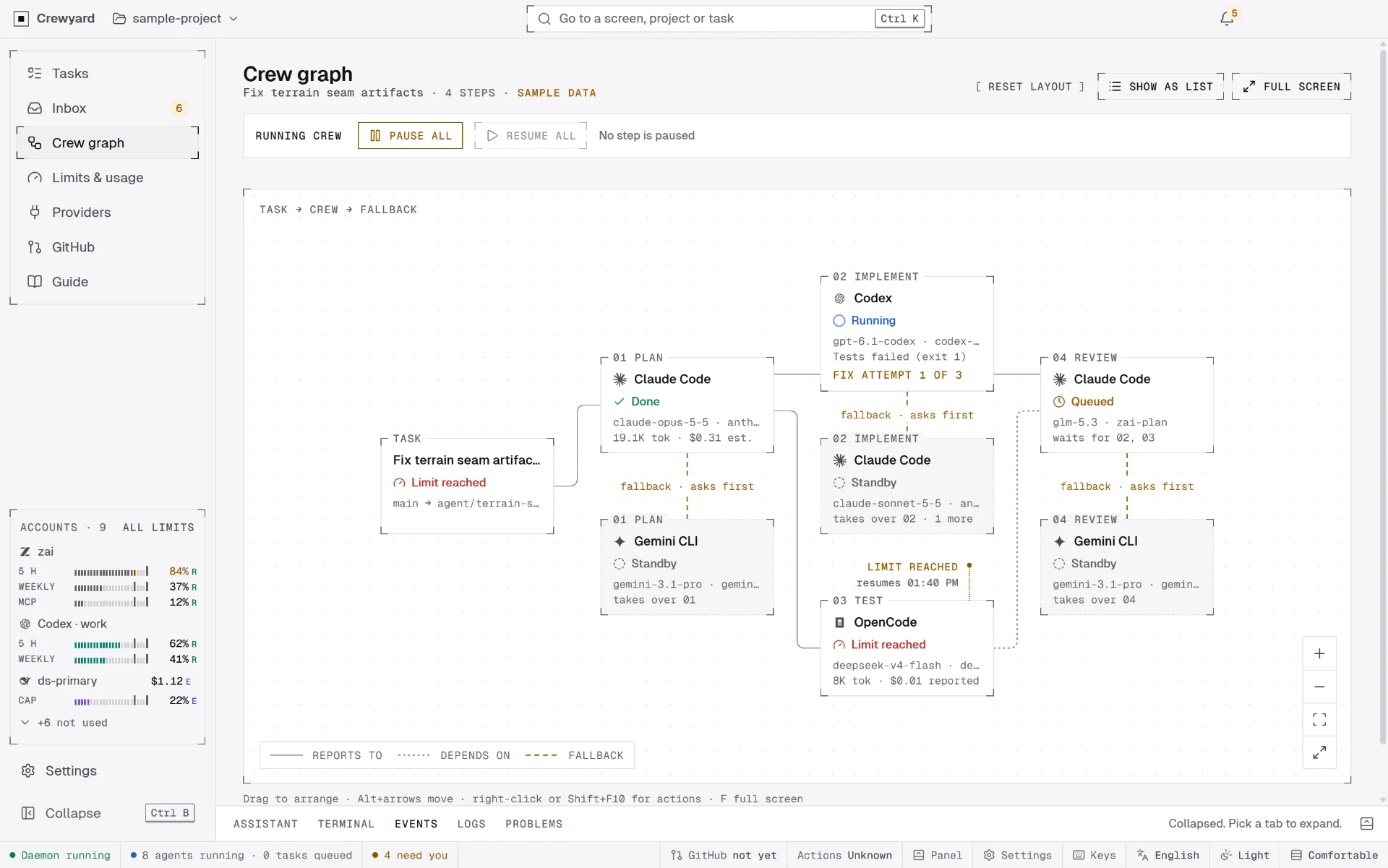
Describe a task and Crewyard proposes who plans, implements, tests and reviews it, with the reason for each pick and a cost estimate. Edit the proposal in the Crew graph. Nothing starts until you approve.
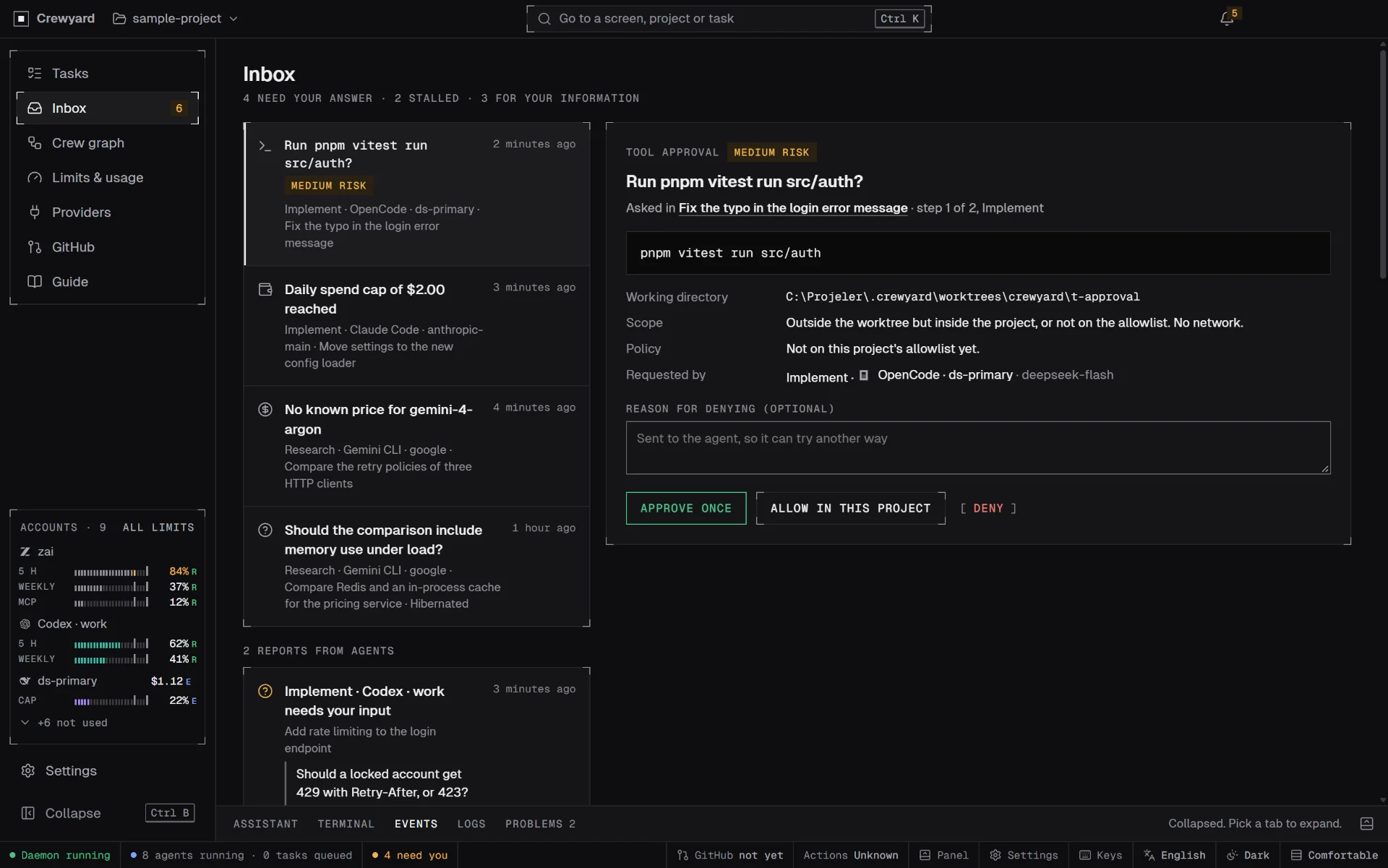
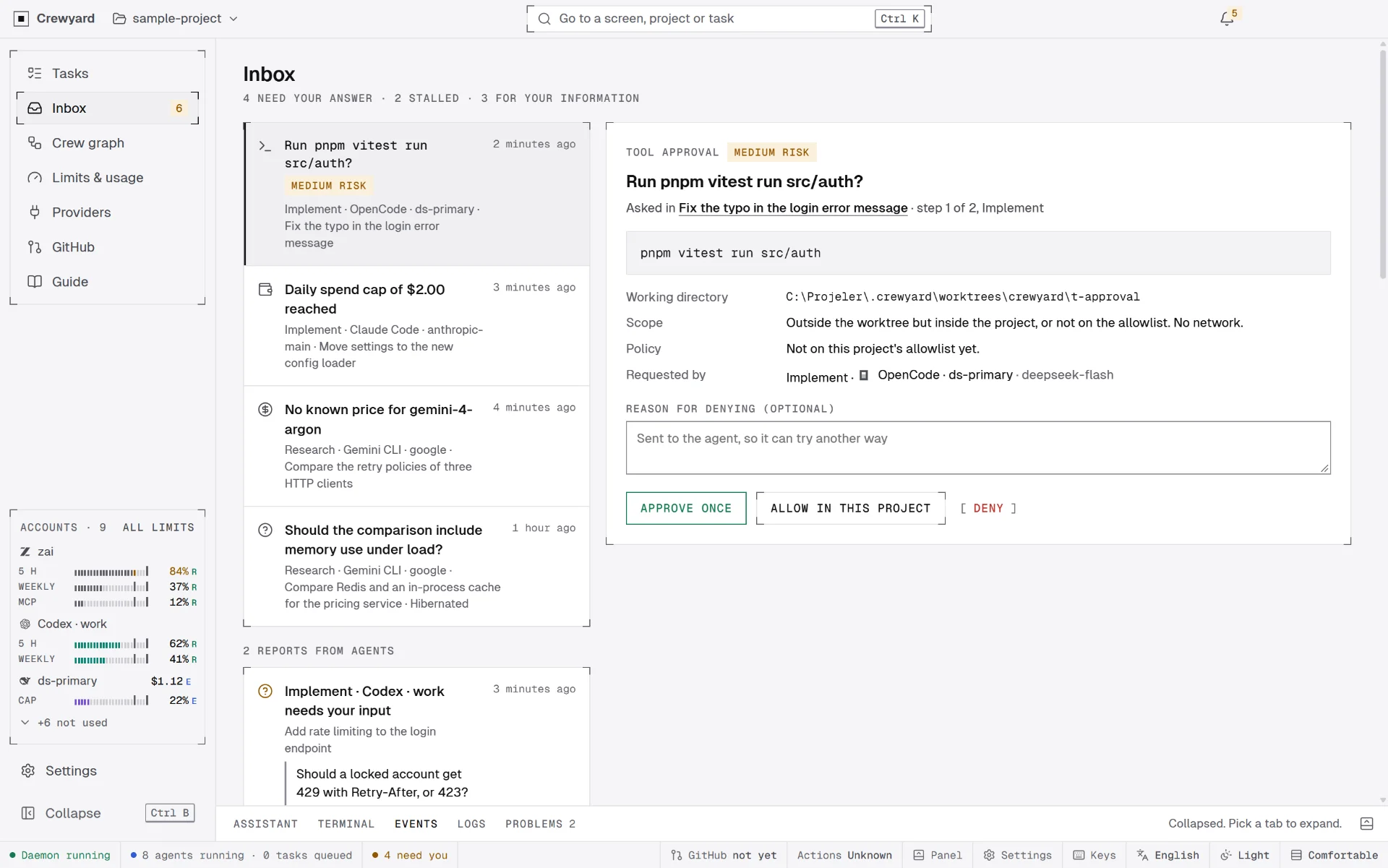
Agent questions, tool approvals and limit decisions in one place, with risk levels. High-risk commands are always approved one at a time, and an unanswered request keeps the run paused.
Every quota or cost figure says whether it is Reported, Estimated or Unknown. Spend caps are per key and per task, and a run stops and asks at the cap.
When a limit or a credit runs out, the task waits, asks, or hands over to a standby in the same worktree, by your rule for that task. Switching between two accounts of the same provider is opt-in.
Agents commit locally. A push queue, pull requests, merge gates and cleanup, and failing checks you can send to the agent after reading them. Every outward step waits for your click.
A read-only, terminal-style chat drafts tasks and research with you. Autopilot, off by default and per project, can run the task flow within limits you set; push, pull requests, merges and spend past a cap stay with you.
Share the instruction files, rules, skills and commands you wrote for Claude Code, Codex, Gemini CLI, OpenCode, Cursor, Windsurf, Copilot or Cline with your profiles, as copies. Role files in .crewyard/roles change or add crew roles.
The task assistant, your own terminal in the project folder or a task's worktree, the project's events, Crewyard's redacted logs, and every problem of the project with a button to where you fix it.
A finished research or review task shows its findings with severity, file and line, and suggests follow-up tasks as drafts. Ready-made analyses cover project review, optimizations, bugs, security, dependencies and licences, and test gaps.
A folder, a clone or an empty repo. The wizard finds build and test commands and sets the rules.
Type it, attach images or files, or pick a ready-made analysis.
Who does each step, why, with headroom and a cost estimate. You edit, then approve.
Each code-writing run gets its own git worktree; tests run at every turn boundary.
Questions, approvals and limit decisions wait for you, with risk levels.
Agents commit locally. Push, pull request and merge each wait for your click.
When an agent asks something, wants to run a command that is not allowed yet, or reaches a limit or a spend cap, its run pauses and the Inbox shows what it wants: the command, the working directory, the scope, the policy that applies, and who asked.
Approve once, allow it in this project, or deny with a reason the agent reads. High-risk commands are always approved one at a time, and a request never times out into an approval.
A runner is the agent program, a provider is where the model comes from, and a credential is a key or a plan sign-in; a profile combines one of each with a default model and its own config folder. Providers come from a synced catalog built from models.dev: Anthropic, OpenAI, Google, DeepSeek, Moonshot Kimi, Zhipu GLM, Alibaba Qwen, MiniMax, Xiaomi MiMo, OpenRouter and more. You can pin a catalog version so estimates stay on it, and compare its prices with LiteLLM's table.
Anthropic or Anthropic-compatible API keys only; never a claude.ai sign-in.
ChatGPT sign-in through its own login, or an API key, on OpenAI or OpenAI-compatible providers.
Driven over the Agent Client Protocol on a Gemini API key; its own Google sign-in serves Gemini Code Assist Standard or Enterprise accounts only.
Runs on every provider in the catalog.
Agents work in their own worktrees and commit locally. Everything that leaves your machine or spends past a limit waits for an explicit click in the app.
Built and tested on Windows 11. Every file, its SHA-256 and the install steps for each system are on the download page.